Workplace Safety App

Workplace
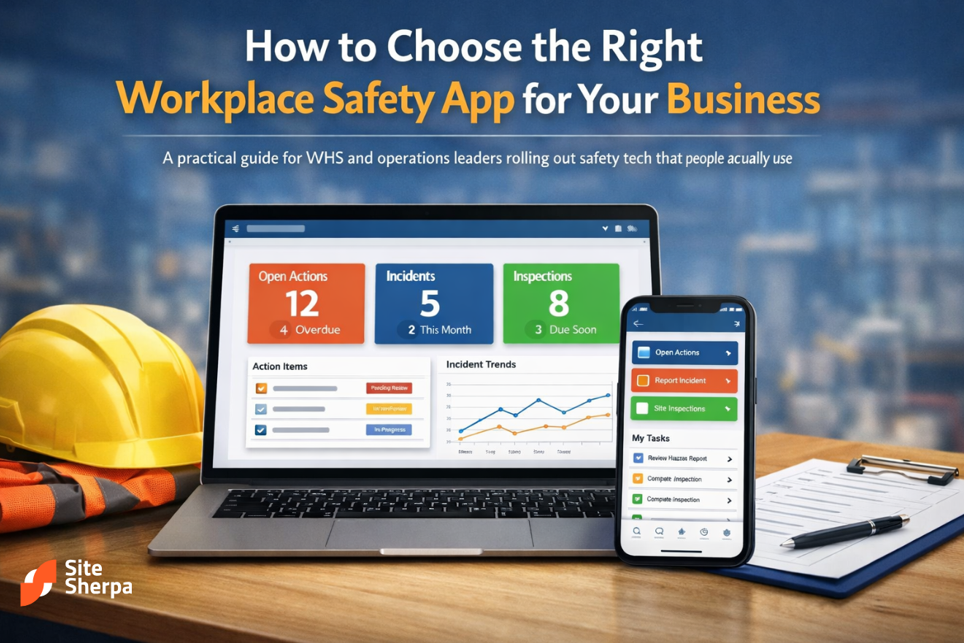
How to Choose the Right Workplace Safety App for Your Business
A practical guide for WHS and operations leaders rolling out safety tech that people actually use
Many WHS and operations leaders are still trying to run safety on a mix of paper forms, spreadsheets, email, and shared drives. It works until it doesn’t. A missed inspection here, a poorly documented incident there, and suddenly audits are stressful and you’re relying on memory instead of reliable data.
At some point, you’ve probably wondered whether a workplace safety app could actually make things easier or just add noise to an already busy day. The reality is that the right digital approach can simplify how you capture evidence, manage contractors, and keep teams aligned, but only if it fits how your business actually operates.
This article walks through the stakes, the core concepts, and a practical, step‑by‑step process to assess, select, and implement safety tech that your frontline and supervisors will genuinely use.
Why this decision matters for WHS and operations
Before you even look at software, it’s worth being clear about why this decision is important.
For most organisations, the WHS and operational stakes include:
- Risk of incidents and injuries
- If hazards aren’t captured consistently and corrective actions fall through the cracks, the likelihood of serious incidents increases. Inconsistent processes often mean near misses are never recorded, so lessons are lost.
- Compliance and legal exposure
- Regulators expect you to do more than just have policies on the shelf. They look for evidence that you are systematically identifying risks, controlling them, and reviewing effectiveness. Poor record‑keeping turns even a minor issue into a major headache.
- Audit pressure and reputational risk
- Whether it’s a regulator, a major client, or a principal contractor, you’ll eventually be asked to “show your workings”. Scrambling through email threads and shared drives right before an audit is stressful and error‑prone.
- Operational drag
- Paper forms and manual spreadsheets cost time. Supervisors and safety reps spend extra hours re‑entering data, chasing missing forms, and trying to reconcile multiple versions of the truth.
Making a considered decision about digital tools isn’t just about buying technology. It’s about choosing a way of working that supports your WHS duties and helps operations run more smoothly.
Key concepts: what a modern safety app actually does
There’s no single definition of a “safety app”, but most modern tools share a few core building blocks. Thinking in terms of these modules helps you compare options.
Core modules you’ll see again and again
- Inspections and checklists
- Digital forms for pre‑start checks, site inspections, housekeeping checks, and other routine verifications. These should be easy to complete on a phone or tablet, even with gloves on.
- Risk assessments and SWMS/JSA/JHA workflows
- Structured templates for identifying hazards, assessing risk, and documenting controls, including Safe Work Method Statements and Job Safety Analyses. Good tools make it easy to reuse templates while still tailoring them to specific jobs.
- Incident and hazard reporting
- Simple capture of incidents, near misses, and hazards, with photos and basic categorisation. Strong workflows ensure that reports drive actions and follow‑up, not just sit in a database.
- Training, licences, and competencies
- Central records for who is competent to do what, when licences expire, and what training is due. Ideally, supervisors can see gaps at a glance before allocating work.
- Contractor and visitor management
- Digital inductions, acknowledgement of key procedures, and tracking of contractor‑specific documents like SWMS, insurances, and high‑risk licences.
- Dashboards and reporting
- High‑level overviews for leadership, with the ability to drill down into sites, departments, and specific hazards or tasks.
How this fits into your WHS management system
A good safety app shouldn’t replace your WHS management system, it should operationalise it.
Your policies, procedures, and risk registers still matter. The technology simply:
- Gives people an easier way to follow the process.
- Captures consistent evidence that the process is happening.
- Makes it possible to spot patterns across sites and teams.
When you’re evaluating options, think less about individual features and more about how the tool will support the way you already manage risk and the improvements you want to make.
What to look for when you evaluate safety software
When you evaluate any workplace safety app, it helps to think in terms of a few non‑negotiables. These criteria will determine whether the tool actually makes life easier for safety reps, supervisors, and managers or becomes shelfware.
Frontline usability
If frontline workers won’t use the tool, nothing else matters. Look for:
- Fast, simple forms with clear, plain‑English questions.
- Offline capability for remote or low‑coverage sites.
- Photo capture and markup so people can show you what they’re seeing.
- Minimal clicks to report a hazard, complete a checklist, or sign on to a SWMS.
During trials, put the app in the hands of actual workers and ask: “Could you see yourself using this during a busy shift?” Their feedback is more valuable than any sales demo.
Fit with your existing WHS processes
The best tools balance structure with flexibility. You want:
- Templates that align with Australian WHS expectations (e.g. clear hazard identification, risk ratings, and control hierarchy).
- Enough flexibility to mirror how your business actually operates, your terminology, your approval chains, and your typical tasks.
- The ability to configure different workflows for different work types (e.g. high‑risk construction work vs. routine warehouse operations).
Evidence and audit readiness
Your future self sitting in an audit will thank you for choosing a tool that:
- Time‑stamps who did what, where, and when.
- Makes it easy to pull up a trail of inspections, SWMS sign‑ons, and corrective actions for a given site, contractor, or risk.
- Allows you to export or share reports in formats your stakeholders expect.
Support, implementation, and change management
No digital tool will magically fix safety if it’s “dropped in” without support. Ask vendors:
- How they support onboarding, configuration, and migration from existing forms.
- Whether they provide training materials for supervisors and workers.
- What ongoing support looks like particularly when regulations change or your operations grow.
Look for partners who understand WHS and operations, not just software.
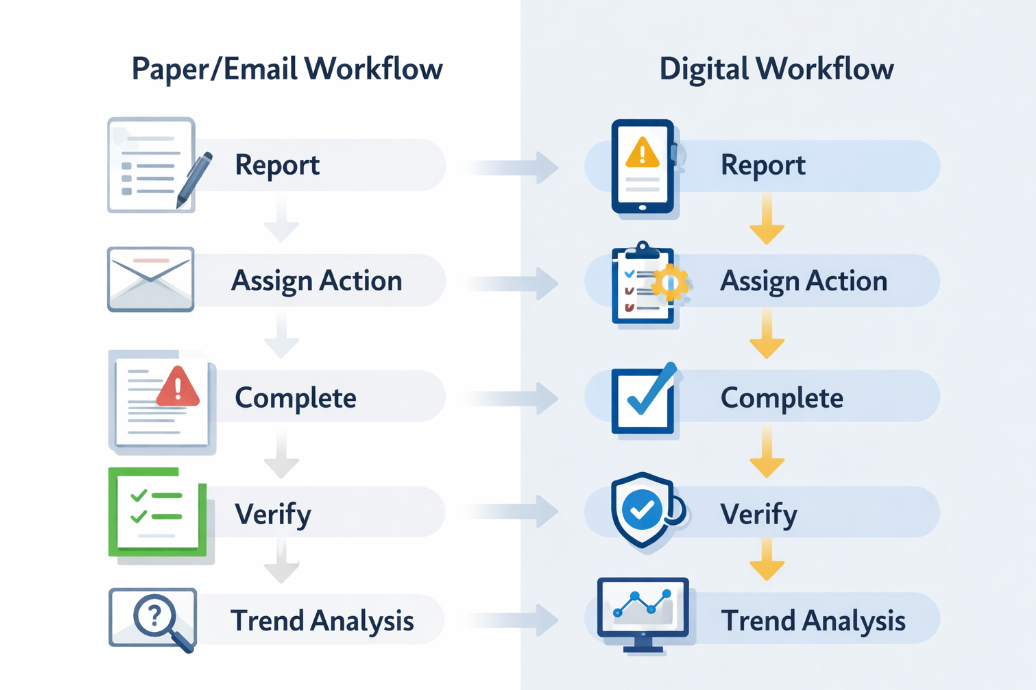
Step‑by‑step: mapping and improving your safety processes
Before you roll out any new technology, it pays to map what you already do. This prevents you from simply “digitising the mess” and helps you use the implementation as a chance to improve.
Step 1: Map your current safety workflows
Start with a whiteboard session that includes WHS, operations, and at least one frontline supervisor. Map out, for each major process (e.g. incident reporting, inspections, SWMS, contractor onboarding):
- Who is involved at each step.
- What forms or templates they use.
- Where information is stored now.
- Typical delays and pain points.
Call out steps that are routinely skipped or re‑done; these flag where the process is too complex or poorly understood.
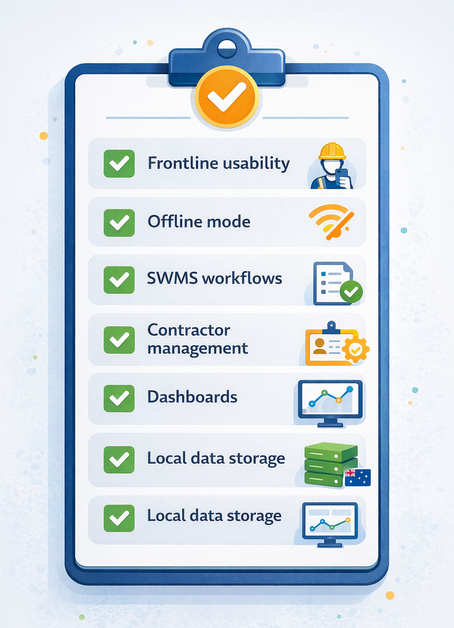
Step 2: Define clear requirements for your next tool
Translate that map into a short, practical requirements list. For example:
- Must support mobile inspections with offline capability.
- Must make it easy to attach photos to hazards and incidents.
- Must handle SWMS/JSA workflows with sign‑ons and version control.
- Must provide dashboards that can be filtered by site, contractor, and risk category.
- Must store data in Australia or in line with your organisation’s data governance requirements.
Keep this list tight. It’s a decision tool, not a wish list.
Step 3: Shortlist and trial 2–3 options
Using your requirements, invite 2–3 vendors to run practical trials. During each trial:
- Set up at least one real site or project in the tool.
- Run a few real inspections, hazard reports, and SWMS sign‑ons.
- Ask supervisors and workers for direct feedback: what worked, what felt clunky, what they’d change.
Focus less on flashy demo features and more on what day‑to‑day use will feel like on site.
Step 4: Plan your rollout and change management
Rolling out safety technology is as much about people as it is about software. Build a simple rollout plan that covers:
- Which sites or teams will go first (a pilot), and which will follow.
- Who will be local champions or “super users”.
- How you’ll communicate what’s changing and why.
- How you’ll support slower adopters or those who are less comfortable with technology.
Give people a chance to practise in low‑risk scenarios such as mock inspections—before you rely on the tool for critical work.
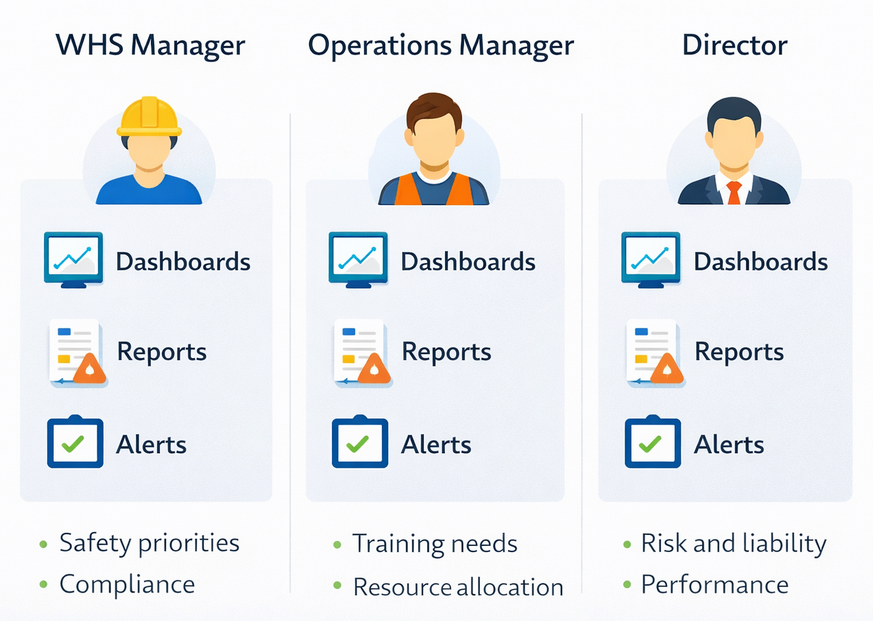
Real‑world scenarios: how different roles benefit
To make this more concrete, imagine a medium‑sized contracting business working across multiple construction and maintenance sites.
The WHS manager
The WHS manager is responsible for policies, risk registers, and ensuring the organisation meets its legal duties. Right now, they might be:
- Chasing site supervisors for overdue inspections via email.
- Collating incident data from multiple spreadsheets into a monthly report.
- Struggling to keep track of which contractors have current SWMS and insurances.
With a modern safety app in place, the WHS manager can:
- See inspection completion rates and overdue actions in one dashboard.
- Drill down into recurring hazards across sites.
- Quickly demonstrate to auditors how hazards are identified, controlled, and reviewed.
The operations manager
The operations manager cares about productivity, resourcing, and meeting client expectations without compromising safety.
With better digital tools, they can:
- See which jobs or sites are repeatedly causing delays due to safety‑related rework.
- Understand where additional training or resources are needed.
- Use data to prioritise improvements that reduce both risk and downtime.
The business owner or director
Owners and directors ultimately carry the legal and reputational risk for the business. They want confidence that:
- High‑risk work is being planned and executed under control.
- They can produce evidence of due diligence if something goes wrong.
- Investments in WHS are genuinely reducing incidents and supporting growth.
A well‑chosen digital system doesn’t just tick boxes; it helps leadership see safety as a core part of good business practice.
How a SiteSherpa-style approach supports safer, smarter work
Every organisation has its own mix of risk, regulatory pressure, and operational complexity. What many have in common is the need to:
- Turn policies into daily habits on site.
- Keep SWMS, JSAs, and risk assessments in sync with how work actually happens.
- Make it easy for contractors and employees to do the right thing.
A digital WHS platform like the approach SiteSherpa takes focuses on:
- Structured workflows for high‑risk work, inspections, incident follow‑up, and contractor onboarding.
- Clear ownership of actions, with reminders and escalation paths when things fall behind.
- Evidence at your fingertips, so you can respond quickly to client questions, tenders, and audits.
The technology is only part of the story. The real value comes from:
- Making it simple for workers to report issues when they see them.
- Giving supervisors the tools to manage risk in real time.
- Providing leadership with trustworthy data so they can invest effort where it matters most.
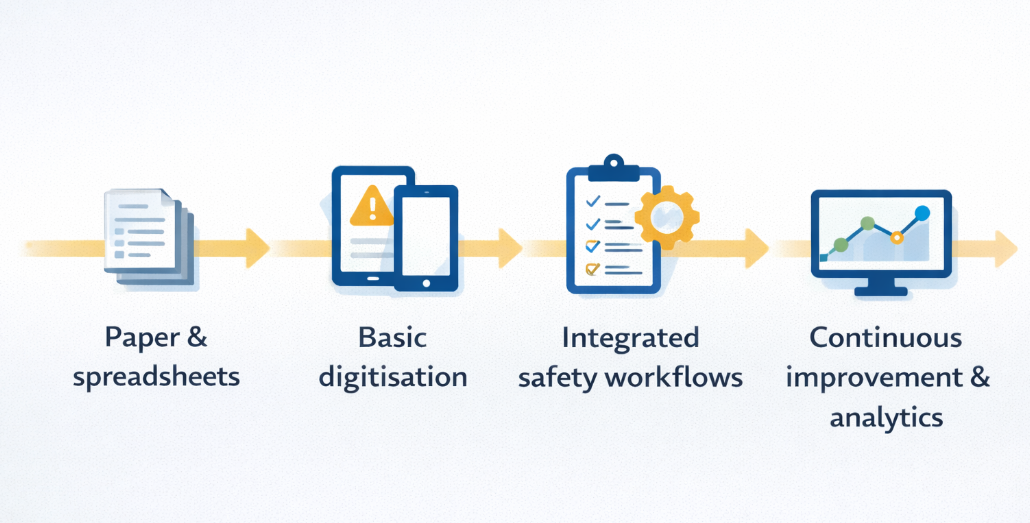
Bringing it all together
Choosing safety software is not about chasing the latest trend—it’s about finding a practical, durable way to keep people safe and demonstrate that you are managing risk.
The key steps are:
- Clarify why you are changing: reduce incidents, improve compliance, save time, or all three.
- Map your current processes honestly: include the work‑arounds people really use today.
- Define clear, realistic requirements instead of a vague wish list.
- Trial a small number of options with real users, not just leadership and vendors.
- Plan your rollout and support, treating it as a change management project, not just an IT install.
If you take the time to map your processes, involve your people, and choose a workplace safety app that fits how you actually work, you’ll lift safety outcomes, reduce audit stress, and make it easier for everyone to do the right thing.
Disclaimer
At SiteSherpa, we follow the Model Work Health and Safety (WHS) Act, along with other relevant legislation, regulations, and codes of practice applicable to Australia, to ensure our content reflects industry best practices. Our resources are designed to provide helpful guidance, but they don’t replace professional advice or legal requirements. We do our best to share accurate and reliable information, but businesses should always check their specific WHS obligations to stay compliant and keep their workplaces safe.
Related Content

.png)
.png)
.png)
.png)
.png)
.png)

Join Our Newsletter
Receive expert insights, safety updates, and the latest updates in our services and apps. Stay ahead of workplace safety, compliance, and operational efficiency—delivered straight to your inbox.
By clicking Subscribe you're confirming that you agree with our Terms and Conditions.