Risk Assessment App

Workplace
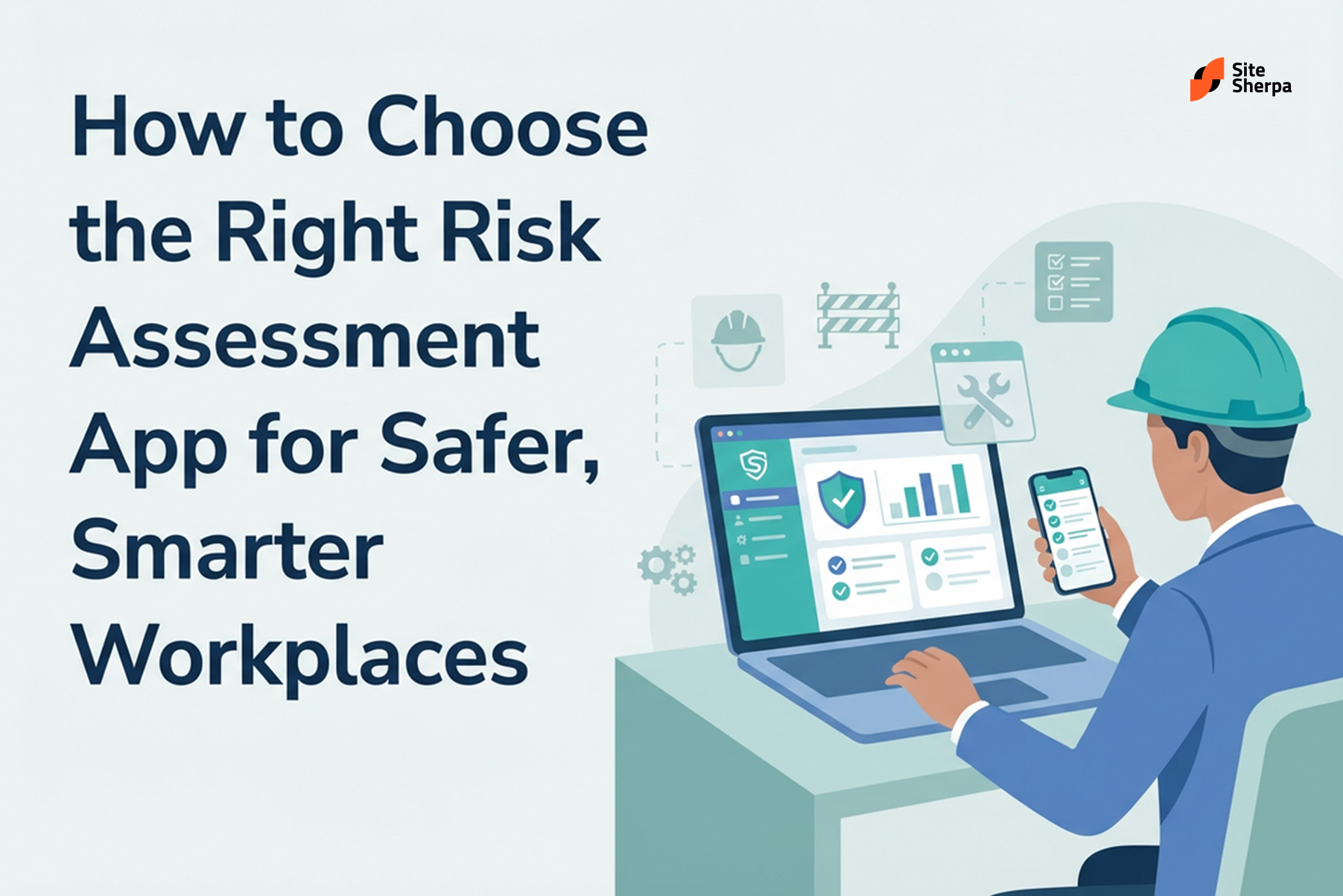
How to Choose the Right Risk Assessment App for Safer, Smarter Workplaces
Give your WHS team a clearer, faster way to see and control risk
1. Why risk visibility is so hard to maintain
If you manage safety and operations, you already know how quickly risk information becomes scattered:
- Hazards identified during toolbox talks may only live on a piece of paper.
- Supervisors capture photos and notes on their phones, but never centralise them.
- The safety team tracks formal risk assessments in spreadsheets that only a few people ever open.
- Corrective actions are raised in email, in a task system, or verbally on site and then lost.
The result is a patchwork risk picture:
- You don’t know which hazards are under active control and which have stalled.
- It’s hard to prove that reasonably practicable steps were taken if something goes wrong.
- Leaders get different answers depending on who they ask and which file they open.
Regulators, insurers, and boards increasingly expect organisations to show clear, current evidence that risks are identified, assessed, and controlled. Relying on paper forms and disconnected spreadsheets makes that expectation very difficult to meet.
A well‑chosen digital tool can change that—if you know what to look for and how to implement it in a practical way.
2. From paper to digital: how risk workflows have evolved
Most organisations move through three broad stages as they mature their approach to risk documentation.
Stage 1: Paper and clipboards
At this stage, supervisors and workers complete risk forms by hand:
- Generic paper templates are photocopied and handed around.
- Copies are stored in folders or filing cabinets.
- Only a handful of people ever see the completed forms.
- Data is almost impossible to aggregate every review feels like starting from scratch.
Paper can work for very small, low‑risk environments, but it quickly collapses once you add multiple sites, projects, or contractors.
Stage 2: Spreadsheets and email
The next step is usually to create templates in Word or Excel and circulate them by email or shared drives:
- Forms can be typed instead of handwritten, which improves legibility.
- Files may be stored in a central location, but version control is messy.
- Action items are chased in email and meetings, not from a single source of truth.
You gain a little more structure, but risk information is still static and fragmented. Reporting requires manual work. Nothing updates itself.
Stage 3: Connected digital workflow
A connected digital workflow pulls all those moving parts into one system of record:
- Workers log hazards, assessments, and controls from mobile devices in the field.
- Supervisors and WHS managers see a live dashboard of open risks, overdue actions, and emerging patterns.
- Notifications, reminders, and escalations are generated automatically.
- Every change is timestamped and traceable for audit purposes.
This is the level of maturity that regulators increasingly expect from medium and larger organisations and it’s what modern safety‑focused workplaces are moving towards.
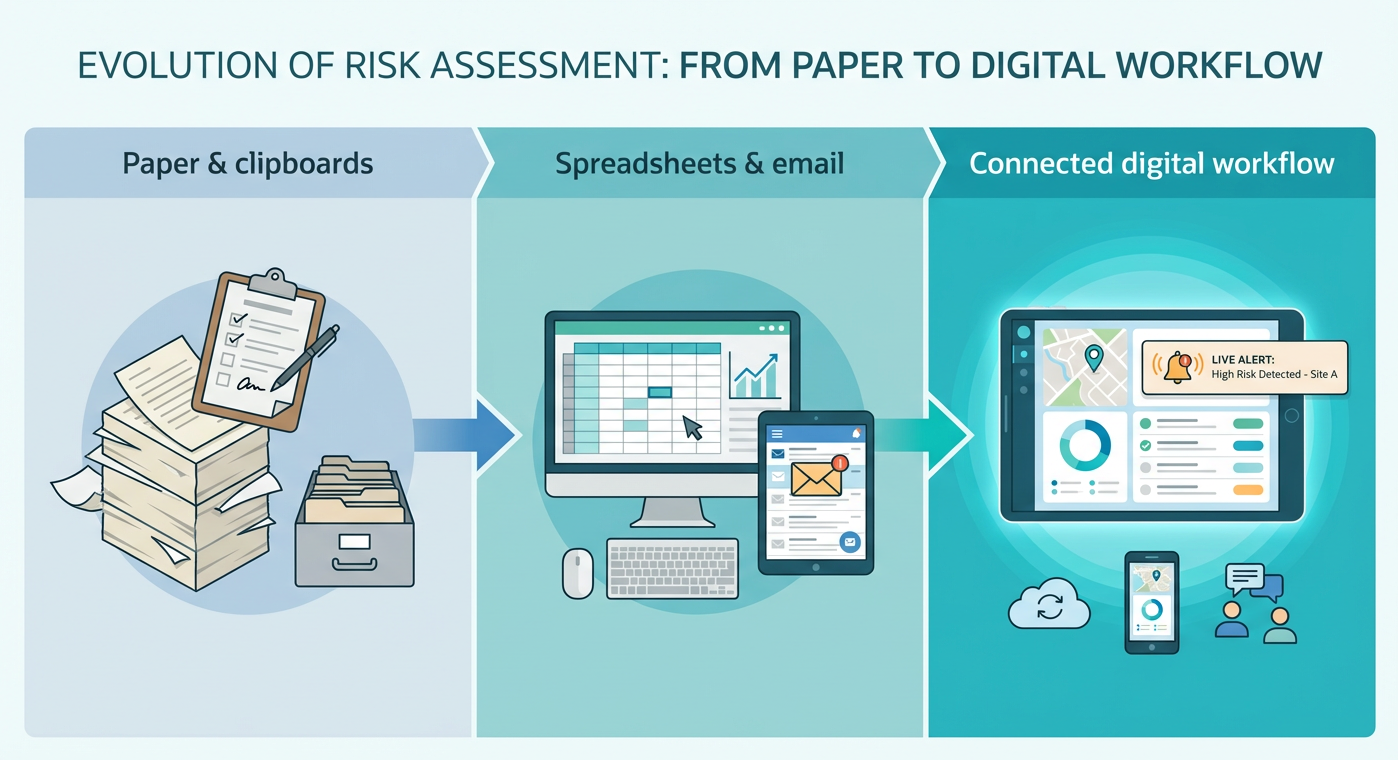
Figure 1: How risk documentation typically evolves—from paper and clipboards, to spreadsheets and email, to a connected digital workflow where hazards, controls, and actions sit in one live system.
3. What good digital risk workflows look like in practice
Before comparing software products, it helps to picture what "good" looks like in the field. In a well‑run WHS environment:
- Workers can report hazards in under a minute from their phone ideally with photos and basic details.
- Supervisors can complete a structured assessment that records likelihood, consequence, current controls, and residual risk.
- Corrective actions are assigned clearly to the right people with due dates and follow‑up reminders.
- Management has a live view of top risks, overdue actions, and recurring patterns across all sites.
- Audit evidence is generated automatically as part of doing the work not as a separate admin exercise.
When you digitalise your workflow, the goal is not to add technology for its own sake, but to bake these behaviours into everyday work so that safer decisions become the path of least resistance.
4. Core capabilities to expect from modern risk software
Once you understand the workflow you’re aiming for, you can translate it into concrete capabilities to look for when assessing tools.
4.1 Worker-friendly capture in the field
Look for tools that:
- Run reliably on common smartphones and tablets used in your workforce.
- Allow hazards, near misses, and assessments to be logged in just a few taps.
- Support offline capture in remote or low‑coverage locations, with automatic sync later.
- Make it easy to attach photos, videos, or documents to provide context.
If frontline workers find the interface clunky or confusing, they will simply stop using it.
4.2 Structured, repeatable assessment templates
Your chosen platform should support:
- Configurable templates aligned to your WHS framework (e.g., Job Safety Analysis, Safe Work Method Statements, or task‑based risk assessments).
- Standard rating scales for likelihood and consequence.
- Clear fields for existing controls, additional controls, and residual risk.
- Mandatory fields where you can’t afford gaps (e.g., risk owner, review date).
Standardisation is what allows your organisation to compare risks across different sites and activities instead of re‑interpreting every form from scratch.
4.3 Integrated actions and follow‑up
Risk documentation has limited value if it doesn’t drive change. Look for software that can:
- Convert assessment outcomes directly into tasks assigned to named people.
- Track status (not started, in progress, completed) and due dates in one place.
- Send automatic reminders and escalations when actions fall behind.
- Show which controls are overdue before they become a problem.
4.4 Reporting, dashboards, and analytics
Strong reporting can turn risk data into better decisions:
- Live dashboards for top risks, by site, department, or activity.
- Trends over time in incident types, contributing factors, and control effectiveness.
- Filters for regulators, clients, or board reporting.
- Export options (PDF, CSV) for people who still need offline copies.
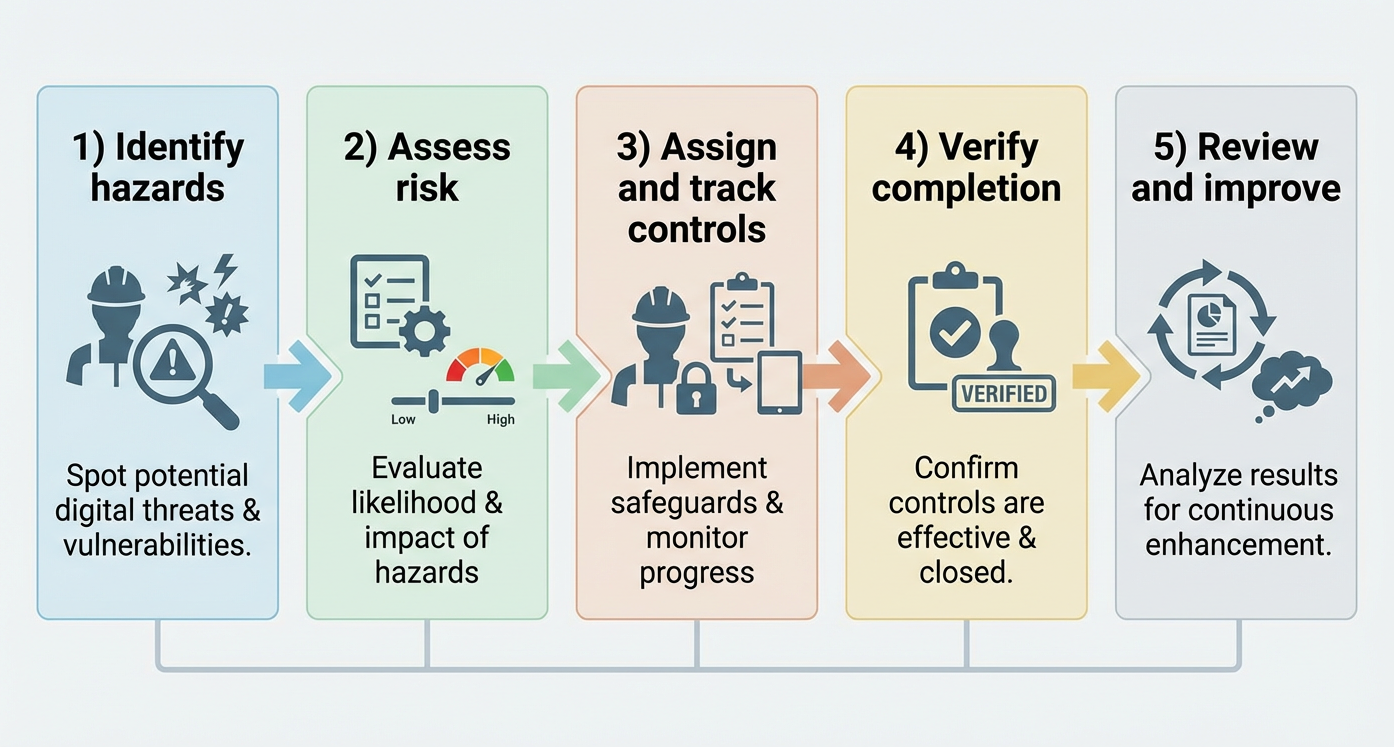
Figure 2: A simple five‑step digital process, identify hazards, assess risk, assign and track controls, verify completion, and review and improve - helps you align software features with day‑to‑day WHS work.
5. People, processes, data, and technology: the system behind the software
It’s tempting to treat technology as the entire solution. In reality, sustainable improvement depends on four interlocking elements:
- People – roles, competencies, training, and safety culture.
- Processes – how risk is identified, assessed, approved, and reviewed.
- Data – the information you collect, how clean it is, and how you use it.
- Technology – the platform that ties everything together and makes the other three elements easier.
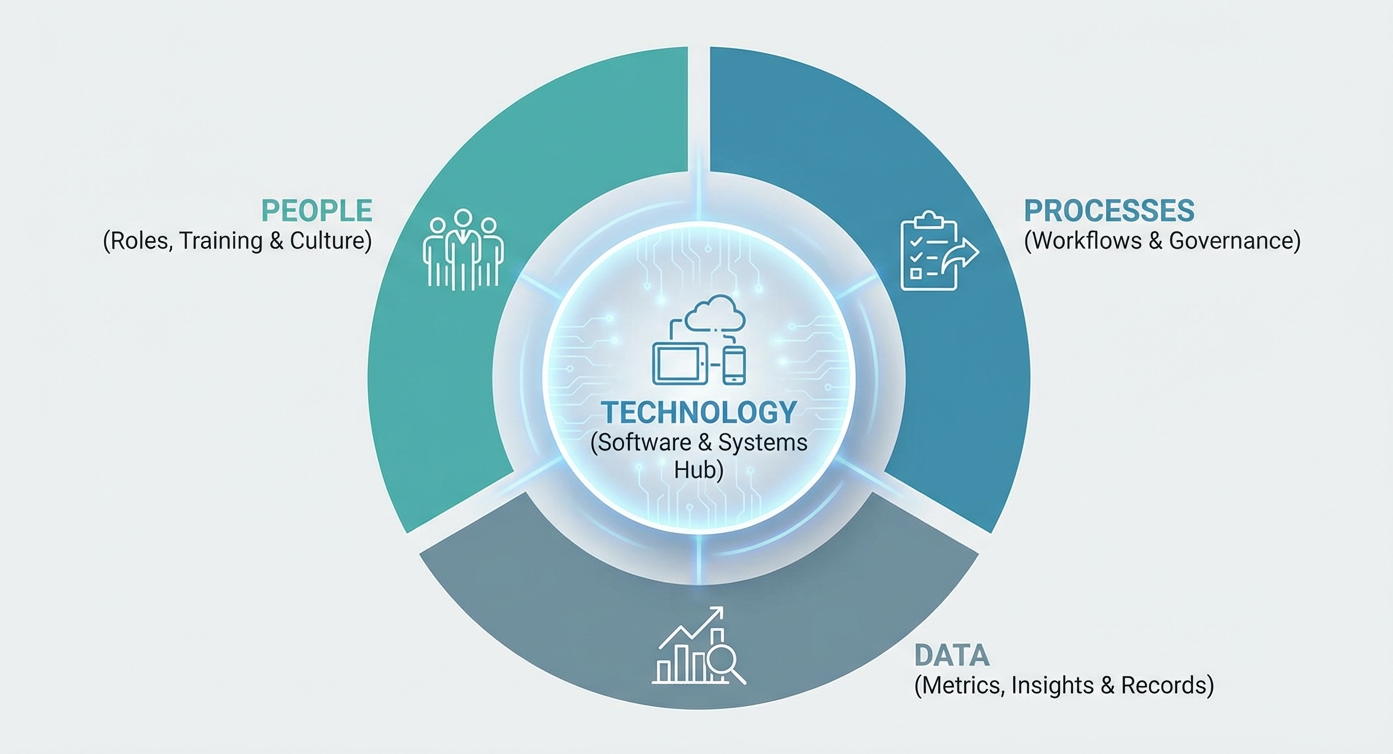
Figure 3: A simple framework showing how people, processes, data, and technology work together. Software is the hub, but it must support clear roles, good procedures, and reliable information.
When you’re shortlisting tools, check that each vendor can support all four elements—for example, through implementation support, configuration options, and integrations with your existing systems.
6. Key criteria for comparing solutions
As you evaluate options, use a structured checklist that goes beyond basic features.
6.1 Alignment with WHS obligations and standards
- Can the tool support the way you manage high‑risk construction work, SWMS, JSAs, and other critical documents?
- Does it align with your obligations under local WHS laws and codes of practice (e.g., handling hazardous chemicals, working at heights, confined spaces)?
- Can you demonstrate, via the system, that you have consulted workers and kept them informed about risks and controls?
6.2 Usability for frontline workers and supervisors
- Is the interface simple enough that a busy supervisor on site can use it with minimal training?
- Are forms broken into logical steps rather than long, scroll‑heavy screens?
- Is the language plain and free of unnecessary jargon?
If your workforce finds the tool frustrating, you’ll see it in low adoption, incomplete records, and workarounds.
6.3 Configurability without constant IT support
- Can you add or modify fields, templates, and workflows without writing code?
- Is it easy to create new assessment templates for emerging risks or new business lines?
- Can you adjust notifications, escalations, and approval flows as your organisation evolves?
6.4 Integration with the rest of your safety and operations stack
- Does the platform integrate with your incident reporting, contractor management, learning management, or HR systems?
- Can it feed risk data into your broader business intelligence or reporting tools?
- Are there APIs or standard connectors that make integration realistic, not just theoretical?
6.5 Security, privacy, and reliability
- How is data encrypted in transit and at rest?
- Where is data hosted, and does that align with your regulatory requirements?
- What uptime and support commitments does the vendor offer?
- How are permissions managed so that sensitive information is visible only to the right people?
7. Implementation: making the change stick
Even the best software can fail if implementation is rushed or poorly planned. To make your transition successful:
- Start with one or two priority workflows. For example, focus first on high‑risk construction activities or a particular business unit where risk visibility is weak.
- Co‑design templates with the people who use them. Involve supervisors, HSRs, and frontline workers so the forms reflect real work.
- Pilot, refine, then scale. Run a time‑boxed pilot, gather feedback, streamline the workflow, and only then roll out more widely.
- Provide short, targeted training. Use micro‑learning, toolbox talks, and quick reference guides rather than long one‑off sessions.
- Measure adoption and outcomes. Track leading indicators such as the number of assessments completed, actions closed on time, and time‑to‑close for high‑risk items.
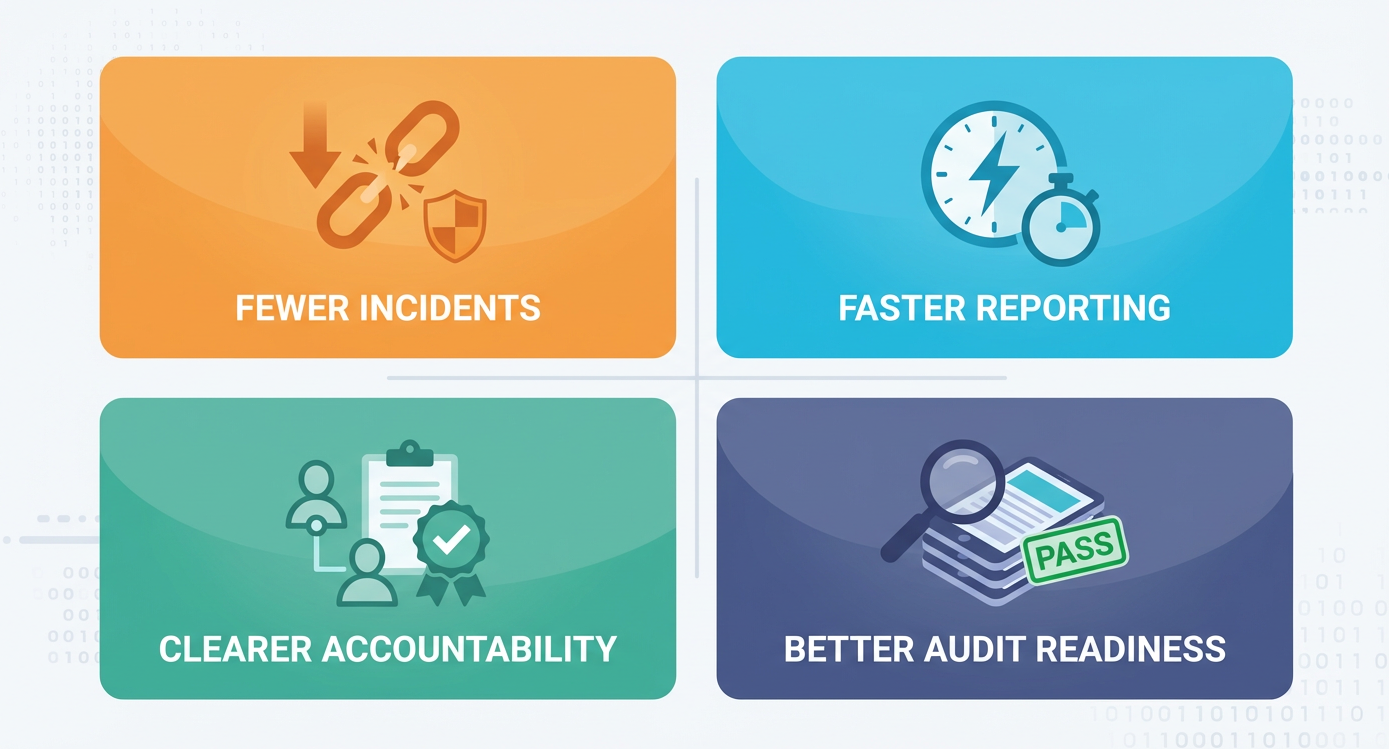
Figure 4: Digitising risk assessments can lead to fewer incidents, faster reporting, clearer accountability, and better audit readiness when paired with good leadership and clear processes.
8. How SiteSherpa-style workflows support better risk management
While every organisation is different, there are common patterns in how digital WHS platforms support safer, more efficient operations:
- Centralised visibility: Leaders can see top risks, overdue controls, and open actions from a single dashboard.
- Standardised templates: Risk assessments, JSAs, and SWMS documents follow a common structure, making it easier to compare work types and sites.
- Integrated actions: Corrective actions sit in the same system as the underlying risk, so nothing is lost between forms, email, and task lists.
- Audit-ready records: Time‑stamped histories show who did what, when, and why.
These capabilities are exactly what regulators and clients increasingly look for when they assess whether your WHS systems are robust in practice, not just on paper.
9. Bringing it all together
Adopting digital tools for WHS is not about chasing buzzwords or adding complexity. It’s about giving your team a single, reliable way to see and act on risk across every job, site, and contractor.
When you choose a risk assessment app that aligns with your workflows, supports your people, and integrates with your wider safety systems, you make it much easier to:
- Spot and control hazards before they cause harm.
- Prove, with clear evidence, that you are meeting your obligations.
- Focus leadership time on decisions and improvements, not on chasing paperwork.
If you’re currently juggling paper forms, spreadsheets, and email threads, now is a good time to step back and ask:
- Where are the biggest gaps in our risk visibility today?
- Which workflows cause the most frustration for supervisors and workers?
- What would it look like if risk information was live, accurate, and available in one place?
Answering these questions will give you a strong starting point for shortlisting tools, running pilots, and building a business case for change.
Disclaimer
At SiteSherpa, we follow the Model Work Health and Safety (WHS) Act, along with other relevant legislation, regulations, and codes of practice applicable to Australia, to ensure our content reflects industry best practices. Our resources are designed to provide helpful guidance, but they don’t replace professional advice or legal requirements. We do our best to share accurate and reliable information, but businesses should always check their specific WHS obligations to stay compliant and keep their workplaces safe.
Related Content
.png)
.png)
.png)
.png)
.png)
.png)
.png)

Join Our Newsletter
Receive expert insights, safety updates, and the latest updates in our services and apps. Stay ahead of workplace safety, compliance, and operational efficiency—delivered straight to your inbox.
By clicking Subscribe you're confirming that you agree with our Terms and Conditions.